Horizontal Lines on LED TV Screen-A Quick Guide
By Robert Jones · 2022-04-23
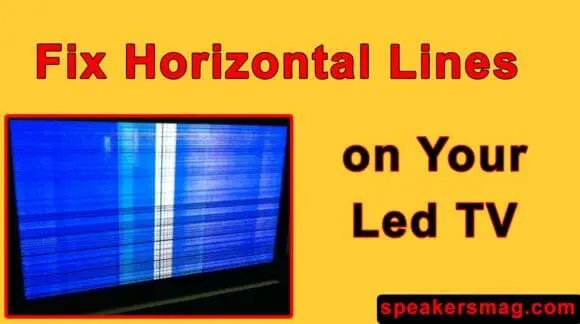
Right, you've got horizontal lines blighting your LED TV? Don't panic. I've seen this a million times. It might be a simple fix, or it could be something a bit more involved, but we'll get to the bottom of it. Let's sort that picture out, eh?
Right, let's talk about something proper annoying, shall we? You've settled down after a long day, cuppa in hand, ready to catch up on the telly, and there it is. A blinking horizontal line (or several) smeared across your lovely LED screen. Infuriating, isn't it? I've seen it countless times in my workshop, on customers' sets, and even on my own gear – usually right before a big match. It's a common old problem, but it doesn't always mean your TV's destined for the skip. Sometimes, it's an easy fix; other times, well, you might need to brace yourself for a bit of a job. But before you panic and start trawling Gumtree for a replacement, let's dig into what's going on. **Quick Verdict:** Most horizontal line issues are fixable, but often require a bit of DIY confidence or a trip to a repair shop. ### Who it's for: * Anyone with an LED TV showing horizontal lines. * DIY enthusiasts who aren't afraid to open up their electronics. * Those looking to understand common TV faults before calling a professional. ### Who should skip it: * Anyone who'd rather just buy a new TV than troubleshoot. * Those uncomfortable with basic electronics or working with static-sensitive components. * People whose TV is still under warranty – let the manufacturer sort it out!  *Horizontal Lines on LED TV Screen-A Quick Guide — tested in the SpeakersMag workshop.* ## The Dreaded Horizontal Line: What's Actually Happening? First off, don't beat yourself up. These things happen. Modern TVs are complex bits of kit, full of tiny components working overtime. A horizontal line usually means there's a communication breakdown between the bits that create the picture and the screen itself. Think of your screen as being made up of millions of tiny pixels, all arranged in rows and columns. When a horizontal line appears, it's often because a whole row of these pixels isn't getting the right signal, or isn't getting any signal at all. It could be a whole host of things. From a loose cable you can poke back in, to something a bit more serious like a faulty T-Con board or even a damaged panel. But let's start with the easy stuff, because more often than not, it's one of those that'll sort you out. ## My First Port of Call: The Simple Checks Before you start dismantling your living room, let's run through the absolute basics. You'd be surprised how often these simple checks resolve the problem. ### 1. The Good Old Power Cycle I know, I know, it sounds ridiculously simple, doesn't it? But honestly, I've lost count of the times I've fixed seemingly complex issues by just turning something off and on again. TVs, like any computer, can get a bit confused. A power cycle clears its short-term memory and can often reset any temporary glitches. * Turn your TV off at the mains socket. Don't just use the remote. * Unplug it completely from the wall. * Wait for a good five minutes. Go make a cuppa, let it properly discharge. * Plug it back in and switch it on. See what happens. If the line's gone, brilliant! Problem solved. If not, don't despair, we're just getting started. ### 2. Check All Your Cables This is another obvious one, but crucial. I've seen HDMI cables that look perfectly fine but are barely hanging on inside the connector, causing all sorts of bizarre picture faults. A horizontal line could easily be caused by a dodgy connection. * **HDMI, Scart, Component:** Disconnect every single cable running into your TV. Don't forget the aerial cable if you use Freeview/Freesat. * Give the ports a quick blow out – dust can cause issues, believe it or not. * Carefully reconnect each cable, making sure it's snug and fully seated. * Try swapping out the HDMI cable for a different one if you have a spare. Some cheap cables are just rubbish and fail surprisingly quickly. Sometimes, it's not even the TV's fault. If the line only appears when you're watching a particular source (like your Sky box or a games console), the problem might be with *that* device or its cable, not the TV itself. Test other inputs to narrow it down. ### 3. Change the Input Source Following on from checking cables, try switching through all your input sources (HDMI 1, HDMI 2, AV, etc.). Does the line appear on *all* inputs, or just one? If it's only on one, then you're looking at a problem with the source device or the cable connecting it, rather than the TV screen itself. If it's there no matter what you select, then it's definitely a TV issue. ### 4. Factory Reset – The Nuclear Option (for software glitches) If the first few steps haven't helped, and you suspect it might be a software glitch (less likely for a persistent physical line, but worth a shot), a factory reset can sometimes work wonders. Be warned though, this will wipe all your settings, Wi-Fi passwords, and custom preferences. You'll have to set your TV up again from scratch. * Go into your TV's settings menu. * Look for "System," "Support," or "About" (menu names vary by brand). * Find "Factory Reset," "Initial Setup," or "Restore Defaults." * Confirm the reset and let the TV do its thing. Only do this if you've exhausted the simpler checks and are prepared to re-enter all your details. ## When It's More Than Just a Loose Wire: Hardware Faults Alright, if the basic stuff hasn't worked, we're probably looking at a hardware issue. This is where things get a bit more involved, and you'll need to decide if you're comfortable opening up your TV. If it's still under warranty, stop right here and contact the manufacturer! Don't void it trying to fix it yourself. ### 1. The T-Con Board (Timing Controller Board) This little beauty is the brain that translates the signals from your main board into something the LCD panel can understand. It tells each pixel exactly what to do and when to do it. If the T-Con board is playing up, you can get all sorts of picture anomalies, including horizontal lines, vertical lines, or even a completely garbled image. **Symptoms:** Lines often appear across the entire screen, sometimes flickering or changing colour. It might start intermittently and get worse. **Fixing it:** * **Location:** Usually located under a metal shield or cover at the top or bottom of the TV, often behind the main board. * **Visual Inspection:** Open up the back of your TV (carefully! Unplug it first and discharge any static). Look for any obvious signs of damage on the T-Con board: burnt components, bulging capacitors, or corrosion. * **Ribbon Cables:** The T-Con board connects to the main logic board and then to the display panel via delicate ribbon cables (LVDS cables). These are notoriously fragile. Gently, and I mean *gently*, reseat these cables. Make sure they're properly clicked into place. Sometimes, just a tiny bit of movement can cause a connection issue. I once had a Samsung where the T-Con cable was just a hair out, causing a flickering green line. Pushed it back in, perfect picture. * **Replacement:** If reseating the cables doesn't work and you suspect the T-Con, you can often buy a replacement board online for £20-£50, depending on your TV model. You'll need to match the board number exactly, usually printed on a sticker. It's a relatively straightforward swap if you're confident with a screwdriver. ### 2. The Main Board / Logic Board This is the big boss, where all the processing happens. It handles everything from input selection to image scaling. While less common than a T-Con board issue for *specific* horizontal lines, a faulty main board can cause a whole array of problems, including picture anomalies. **Symptoms:** Broader issues beyond just lines, like no picture at all, sound but no picture, or general erratic behaviour. If the horizontal lines are accompanied by other strange symptoms, the main board might be the culprit. **Fixing it:** * **Visual Inspection:** Again, check for any burnt components or damage. But without proper diagnostic tools, it's harder to pinpoint a main board fault. * **Replacement:** Main boards are generally more expensive than T-Con boards (£50-£150+). They are also a bit more involved to swap out, as more cables connect to them. Unless you're experienced, I'd probably suggest a professional for this one, or weigh up the cost against a new TV. ### 3. Display Panel / LCD / LED Panel Fault This is the one you *really* don't want. The display panel itself is the most expensive part of your TV, often costing more than a new TV would. If the panel is faulty, especially if it's physically damaged (a crack, pressure marks), then it's usually curtains for the TV. **Symptoms:** * **Physical Damage:** Obvious cracks or spiderweb patterns on the screen. * **Static Lines:** Lines that are perfectly straight, don't flicker, and are present immediately upon turning the TV on, regardless of input. * **"Gate Driver" Issues:** Sometimes, the small integrated circuits (ICs) along the edges of the panel (often hidden by a bezel) can fail. These are called gate drivers or COF (Chip on Flex) drivers. If one of these fails, it can cause a permanent horizontal or vertical line. **Fixing it:** * **Reseating COF Cables (Careful!):** In some older TVs, the COF cables connecting the panel to the driver boards might become slightly loose. This is a very delicate operation and can easily cause more damage. I've seen folks try to use bits of foam or folded paper to apply pressure to these connections, but it's a temporary and risky fix. I wouldn't recommend it for a novice. * **Panel Replacement:** Not economically viable for consumer TVs. A new panel costs too much. This usually means a new TV. ### 4. Backlight Issues (Can sometimes look like lines) LED TVs use backlights to illuminate the screen. If some of these individual LEDs or strips fail, it can sometimes create darker horizontal bands or patches, which *might* be mistaken for lines, especially if they're very distinct. **Symptoms:** Darker or brighter areas on the screen, often in strips or patches. The picture might still be there, just unevenly lit. **Fixing it:** * **Replacement of LED strips:** This is a fiddly job, requiring the complete dismantling of the TV, including carefully removing the delicate LCD panel itself. It's possible, and the LED strips themselves aren't terribly expensive (£15-£40 for a set), but the risk of damaging the panel during disassembly is high. I've done a few, and it's always a heart-in-mouth moment. ## Tools and Safety You'll Need If you're going to delve inside your TV, you need to be sensible. Safety first, always. * **Screwdrivers:** A good set of Phillips head screwdrivers, maybe some Torx bits depending on the TV brand. * **Plastic Pry Tools:** Essential for gently un-clipping bezels and covers without scratching them. * **Anti-Static Wrist Strap:** TVs are full of static-sensitive components. An anti-static strap connected to an earth point (like a metal radiator pipe) is cheap and can save you from zapping your TV into oblivion. * **Clean, Flat Workspace:** You'll need plenty of room to lay the TV flat and keep track of screws. * **Good Lighting:** You'll be looking at small connections. * **Camera/Phone:** Take photos at every step of disassembly. Seriously, this is a lifesaver when you're trying to put it back together. * **Multimeter (Optional):** Useful for testing voltages if you're diagnosing power supply issues, but less critical for simple T-Con board swaps. ## Troubleshooting Flowchart (Rough Guide) Here's how I usually approach a TV with horizontal lines: 1. **Is it under warranty?** YES -> Contact manufacturer. NO -> Go to 2. 2. **Power Cycle (Unplug for 5 mins).** Does the line persist? YES -> Go to 3. 3. **Check All Cables/Inputs.** Does the line persist on ALL inputs? YES -> Go to 4. NO -> Problem is with source device/cable. 4. **Factory Reset (Optional, if you suspect software).** Does the line persist? YES -> Go to 5. 5. **Open TV Back.** (UNPLUGGED! Anti-static!) a. **Visual Inspection of Boards:** Any obvious damage? b. **Reseat T-Con Cables:** Gently push them in. c. **Reseat LVDS Cable (Main Board to T-Con).** Does the line persist after closing up and testing? YES -> Go to 6. 6. **Diagnosis:** a. **Suspect T-Con Board:** Lines are usually consistent, sometimes flicker, specific to image processing. (Order new T-Con board, install, test.) b. **Suspect Main Board:** If other erratic behaviour, or T-Con swap didn't work. (More complex, consider professional or new TV.) c. **Suspect Panel Fault:** Lines are perfectly static, always there, often accompanied by physical damage. (Likely uneconomical repair, new TV advised.) d. **Suspect Backlight:** Darker bands, uneven lighting. (Fiddly repair, high risk, consider professional or new TV.) ## Common Brands and What to Expect From my years in the workshop, some brands tend to have certain quirks. This isn't scientific, mind, just observations. ### Samsung I've seen a fair few Samsung TVs with T-Con board issues, or sometimes the ribbon cables from the T-Con to the panel becoming a bit loose. They're generally well-built, but like any mass-produced electronics, there are always some weak points. Swapping a T-Con on a Samsung is usually pretty straightforward. ### LG LG TVs can sometimes suffer from T-Con issues too, similar to Samsung. What I've seen more often with LG, especially their OLEDs, is issues with image retention or "burn-in" rather than horizontal lines, but the LCD/LED models can have typical T-Con or panel driver faults. Their panels are generally good, so panel faults are less common unless physically damaged. ### Sony Sony TVs tend to be a bit more robust in my experience, though when they do go wrong, they can be a bit trickier to source parts for cheaply. Power supply issues are sometimes seen, but specific horizontal line faults are often T-Con related if not an outright panel problem. ### Philips / Panasonic / Hisense / TCL These can be a bit of a mixed bag. Philips and Panasonic generally use good quality components, but are not immune. Hisense and TCL, while offering incredible value, sometimes have a slightly higher rate of panel or T-Con issues. This isn't to say they're bad TVs, just that sometimes the components might be a bit more budget-oriented. Parts can sometimes be harder to find for specific budget models. ## Repair or Replace? The Big Question This is where your wallet and your patience come into play. Here's how I usually advise customers: | Factor | Repair | Replace | | :----------------- | :---------------------------------------- | :--------------------------------------------- | | **Cost** | £20-£50 (DIY T-Con) to £100-£200+ (Pro) | £200-£1000+ (New TV) | | **Time** | A few hours to a day (DIY), days (Pro) | Instant (if you buy off the shelf) | | **Skill Level** | Moderate (DIY), None (Pro) | None | | **Warranty** | Voids warranty (DIY), New warranty (Pro) | New warranty | | **Risk** | Can cause more damage, might not fix | None, but environmental impact | | **Outcome** | TV *might* work like new | Guaranteed working TV | | **Best for...** | Older TVs, specific board faults, budget-conscious, eco-minded | New tech desires, severe panel damage, no DIY confidence, under warranty | My rule of thumb: if the repair cost (including your time and effort) is more than 30-40% of the cost of a comparable new TV, you're probably better off replacing it. Especially if it's a panel fault. A T-Con board for £30? Absolutely worth a punt. A new main board for £150 on a 5-year-old £400 TV? Probably not. Also, consider the age of your TV. If it's a ten-year-old plasma that weighs a ton, maybe it's time for an upgrade to something a bit more power-efficient. But if it's a decent 3-5 year old LED, it's usually worth trying a T-Con board if that's the suspected fault. Keep these things out of landfill if you can! ## FAQ: Your Common Questions Answered ### Q1: Can a horizontal line fix itself? A: Very rarely, unless it was caused by a temporary software glitch that cleared itself (like with a power cycle). If it's a hardware fault, it's highly unlikely to magically disappear. In fact, it often gets worse over time. ### Q2: Is it safe to open my TV to fix a horizontal line? A: It can be, but you *must* unplug it from the mains completely and leave it for a good few minutes to discharge any residual power. Always use an anti-static wrist strap. If you're unsure or uncomfortable with electronics, it's best left to a professional. ### Q3: How much does it cost for a professional to fix horizontal lines on a TV? A: This varies wildly. Expect to pay a call-out fee (often £50-£80) plus parts and labour. For a T-Con board replacement, you might be looking at £100-£200 all in, depending on the TV and technician. For more complex issues like a main board or backlight, it could easily hit £250-£350, making a new TV a more appealing option. ### Q4: My TV has multiple horizontal lines, what does that mean? A: Multiple lines, especially if they're very thin and close together, often point towards a panel issue or a failing gate driver chip. While a single line *can* be a T-Con, multiple persistent lines are generally bad news for the panel itself. ### Q5: What's the difference between horizontal and vertical lines? A: Functionally, not much in terms of severity – both usually indicate a problem with the screen itself or its driving electronics. However, horizontal lines are often more indicative of T-Con or gate driver issues related to scanning rows, while vertical lines can sometimes point to problems with source signal processing or column drivers. ## Final Word Seeing those lines pop up on your TV screen is a right pain, no doubt about it. But don't chuck it straight in the bin. A lot of the time, with a bit of patience and a screwdriver, you can get it sorted yourself, saving a fair few quid. Start with the easy checks – seriously, they work more often than you'd think. If you're going to open it up, be safe, take your time, and take plenty of photos. And if it comes down to a panel fault, well, sometimes you just have to admit defeat and start browsing for a new set. But for T-Con boards and loose cables, you've absolutely got a fighting chance. Good luck, and happy viewing (hopefully line-free!).