How To Get Rid of Green Dot on iPhone Pictures?
By Robert Jones · 2022-05-17
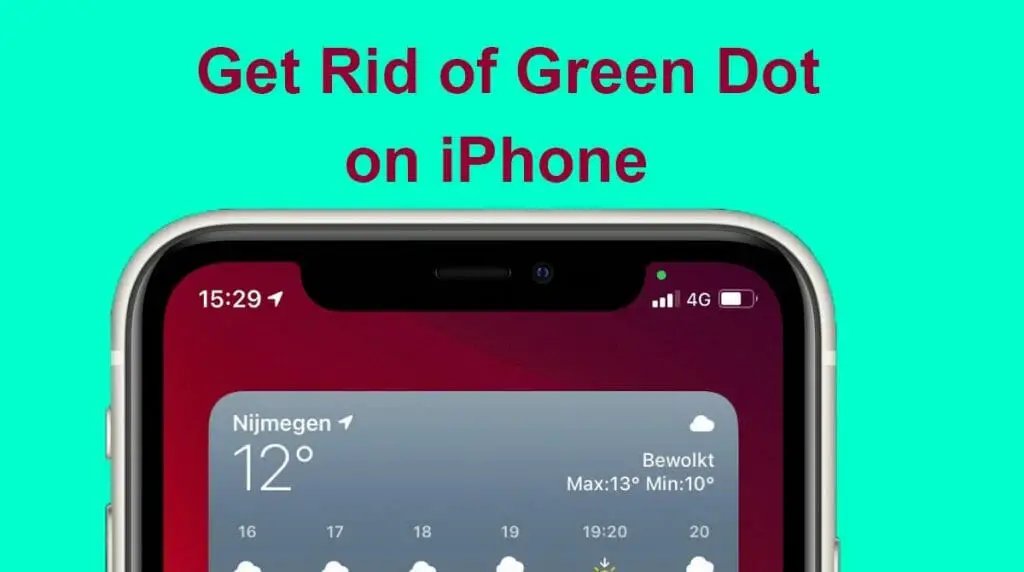
Ever noticed that annoying green dot on your iPhone photos? I certainly have, especially when trying to snap a new speaker setup! It's not a camera fault, mate, it's usually just lens flare playing up. Stick around, and I'll tell you how to get rid of it.
Right, let's be honest, you're probably scratching your head wondering why I, an audio bloke, am talking about iPhone camera issues. Well, here's the thing: everyone takes pictures these days, and I'm no different. I've seen this green dot crop up on my own iPhone snaps, particularly when I'm trying to get a decent shot of a speaker setup in a dimly lit room, or perhaps a new amp glowing away. It's annoying, plain and simple. And because I get asked about all sorts of tech niggles, I figured, why not share what I've learned about this little green blighter? **Quick Verdict: That pesky green dot is lens flare, almost always.** It's not a fault with your iPhone, not usually anyway. It's just physics playing silly beggars with your camera's lens. Think of it like this: you wouldn't blame your car for reflecting the sun, would you? Same principle, just a tiny little light source bouncing around inside your phone's camera module.  *How To Get Rid of Green Dot on iPhone Pictures? — tested in the SpeakersMag workshop.* ## So, What Exactly *Is* This Green Dot? Well, as I said, it's lens flare. But not just any old lens flare. This specific green dot is almost always a reflection of a strong light source in your photo, like a streetlamp, the sun, or even a bright studio light bouncing off the internal elements of your iPhone's camera lens system. Modern phone cameras are tiny, crammed with multiple lens elements. Light hits these, some of it bounces around a bit, and hey presto, you get an internal reflection. Your iPhone, being clever, then captures that reflection as a green dot. It's particularly noticeable with high-contrast scenes. Think about taking a photo of a sunset – the sun is incredibly bright, everything else is much darker. Or a night scene with streetlights. Your phone's lens, designed to capture as much light as possible, sometimes catches these internal reflections. And for some reason, with iPhones, it often manifests as this distinct green spot. Now, before you go thinking your iPhone is faulty, nearly every camera out there, from professional DSLRs right down to point-and-shoots, can suffer from lens flare. It's just that the specific design of the iPhone's lens stack, combined with its image processing, often makes this particular green dot a common sight. ### Why Green, Though? Good question, that one. I've often wondered myself. It's usually down to the specific coatings applied to the lens elements inside your iPhone camera. These coatings are there to reduce reflections and improve light transmission, but they're optimised for certain wavelengths of light. Sometimes, the reflected light that *does* sneak through and cause flare has a greenish hue due to these coatings. It's a bit technical, but essentially, it's a side effect of trying to make your camera lens as good as it can be. It's also worth remembering that the iPhone's software is doing a lot of work behind the scenes. Sometimes, the green dot you see might be the software trying to correct something, or it might just be the most visible artefact of a complex optical phenomenon. ## My Own Encounters with the Green Dot I've had countless experiences with this over the years. I remember being at a gig, trying to snap a shot of the stage with the spotlights blazing. Boom, green dots everywhere. Or when I was trying to photograph a new set of speakers in my workshop, and the overhead fluorescent lights were playing havoc. It's particularly frustrating when you've got a cracking shot otherwise, and this little green phantom just ruins it. I used to think it was dust on the lens, or maybe some smudge I hadn't wiped off properly. Nope. Cleaned the lens a hundred times, still there. Then I started paying attention to *when* it appeared – always when there was a bright light source in the frame or just outside it. That's when the penny dropped: lens flare. It's become almost a game now. Before I snap an important picture, especially in challenging lighting, I'll do a quick check for potential green dots. It's just part of the modern photography workflow, especially with phone cameras. ## How to Send the Green Dot Packing (Mostly) Alright, so you know what it is. Now, how do you get rid of it? While you can't magically change the physics of light, there are several practical ways to minimise or even eliminate this green nuisance. ### 1. Recompose or Reposition (The Easiest Fix) This is your first port of call. If you see the green dot, simply shifting your phone's position slightly can often make it vanish. Try these: * **Move the light source:** If the bright light causing the flare is within your frame, try to shift your composition so it's just outside. Sometimes, even a slight angle change can stop the internal reflection. * **Change your angle:** Instead of shooting directly into a bright light, try moving to one side or the other. This changes the angle at which the light hits your lens, often dispersing or redirecting the flare. * **Use something to block the light:** This is a classic photography trick. If the light source is just outside your frame, use your hand, a hat, or even another person to create a bit of shade over your lens. Just be careful not to get your hand in the shot! This acts like a makeshift lens hood. I've found this particular trick invaluable when trying to get a decent photo of a sunset or a cityscape at night. A small movement, sometimes just a few inches, can make all the difference. ### 2. Clean Your Lens (Just in Case) While the green dot is usually flare, a dirty lens *can* exacerbate the problem. Smudges, dust, or fingerprints scatter light, potentially making flare worse or introducing other unwanted artefacts. Give your iPhone camera lens a quick wipe with a soft, clean microfibre cloth. No harsh chemicals, mind. Just a gentle polish. I always keep a small microfibre cloth in my camera bag (yes, even for my phone). It's surprising how much difference a clean lens makes, not just for flare but for overall image sharpness and clarity. ### 3. Avoid Direct Light Sources (When Possible) This one's a bit obvious, but worth stating. If you can avoid pointing your camera directly at the sun, a bright bulb, or a strong spotlight, you'll significantly reduce the chances of lens flare appearing. Sometimes, you *want* the light source in the shot for artistic reasons, and that's fine, but be aware of the trade-off. Think about what you're trying to achieve. If the light source isn't crucial to your shot, try to minimise its impact. ### 4. Adjust Exposure (Sometimes Helps) While not a direct fix for the green dot, adjusting your exposure can sometimes help. If the bright light source is overexposed, it can create a more intense flare. Tapping on the bright area of your screen and then dragging the exposure slider down can sometimes reduce the intensity of the flare, making the green dot less prominent. It won't make it disappear entirely if the conditions are ripe for flare, but it can certainly lessen its impact on the overall image. ### 5. Post-Processing (The Digital Eradication) So, you've taken the shot, and there's that infuriating green dot staring back at you. Don't despair! Most of the time, you can get rid of it in post-processing. There are plenty of apps out there, from the built-in Photos app on your iPhone to more advanced editors like Snapseed, Lightroom Mobile, or even Photoshop Express. * **Healing Brush/Spot Removal:** This is your best friend. In most photo editing apps, look for a "healing brush," "spot removal," or "clone" tool. You simply select the green dot, and the app intelligently replaces it with surrounding pixels. For a small, distinct dot, this works wonders. * **Practice Makes Perfect:** It might take a few tries to get it looking natural, especially if the dot is near an important part of your subject. Zoom in, take your time, and you'll usually be able to make it vanish without a trace. I've used this method countless times. It's a bit of a pain, I'll admit, having to fix something after the fact, but it's a lifesaver when you've got a photo you really like apart from that one flaw. I tend to use Snapseed for quick fixes on the phone – it's surprisingly powerful for a free app. ## Who It's For: * iPhone users frustrated by mysterious green dots in their photos. * Anyone wanting to improve their mobile photography skills in challenging lighting. * Those who want quick, practical solutions for common iPhone camera issues. ## Who Should Skip It: * People who genuinely love the artistic look of lens flare (each to their own, eh?). * Users of Android phones (though the principles of lens flare still apply). * Anyone who prefers to just use automatic settings and never edits a photo. ## iPhone Camera Models and the Green Dot It's interesting, isn't it? This green dot phenomenon isn't exclusive to older iPhone models. I've seen it on the latest and greatest, right back to some of the earlier ones with half-decent cameras. It's a fundamental optical characteristic, not a software bug that Apple ironed out with a firmware update. Sure, the processing might have changed a bit over the generations, perhaps making it *less* obvious in some situations, but the underlying physics remain. So, whether you've got an iPhone 11, 13, 14 Pro, or whatever's just come out, you can still expect to bump into this green dot if the lighting conditions are right (or wrong, depending on your perspective). It often feels like the more advanced the camera, the more lens elements are packed in, and potentially, the more surfaces for light to bounce off. It's a trade-off for getting those incredible wide-angle or telephoto shots. ## Other Types of Lens Flare to Watch Out For While we're talking about the green dot, it's worth mentioning that lens flare can take many forms. The green dot is just one common type you see on iPhones. You might also encounter: * **Streaks or Haze:** A general washed-out look or bright streaks across your image, often when shooting directly into the sun. * **Polygonal Shapes:** These are often reflections of the aperture blades inside the lens. You might see hexagons or octagons, depending on the number of blades. * **Ghosting:** Multiple, sometimes colourful, copies of a light source appearing in your image. All of these are forms of lens flare, and while they might look different, the underlying cause (light bouncing around inside the lens) and many of the solutions are similar. The green dot is just particularly consistent and identifiable on iPhones. ## Practical Tips for Specific Scenarios Let's get a bit more granular, shall we? Here are some quick ideas for common situations where the green dot loves to rear its head. ### Night Cityscapes Ah, the urban jungle after dark. Full of lovely lights, but also prime green dot territory. When photographing a city skyline at night: * **Angle, angle, angle:** Don't shoot straight at a bright streetlamp or building light. Shift your position slightly. Even moving a few feet can change the reflection path. * **Use architectural elements:** Frame your shot so that a building, a tree, or even a lamppost itself partially blocks the brightest lights from directly hitting your lens. It adds interest and cuts down flare. * **Focus on the scene, not the light:** Tap to focus on a darker part of the cityscape, not the brightest light source. This can help the iPhone's exposure meter handle the contrast better. ### Concerts and Live Events Trying to capture that live music atmosphere? Spotlights are the enemy here. * **Shoot from the side:** If you're close enough, try to get a shot from the side of the stage rather than head-on, avoiding the direct blast from the stage lights. * **Zoom in (carefully):** If you've got a Pro model with a telephoto lens, sometimes zooming in slightly can crop out the offending light source that's just on the edge of your wide-angle lens, or use a different optical path that's less prone to flare. * **Embrace it (sometimes):** Honestly, sometimes the flare from stage lights can add to the vibe. If it's not a distracting green dot but more of a pleasing light streak, don't overthink it. ### Sunny Outdoor Shots Blue skies and bright sunshine – seems simple, right? Not always. * **Sun at your back:** The most basic rule. Have the sun behind you or to your side. This illuminates your subject nicely and keeps direct sunlight off your lens. * **Shade the lens:** As mentioned, your hand is a great, free lens hood. Just cup it above your lens, being careful not to get it in the frame. It's incredibly effective. * **Golden hour is your friend:** The hour after sunrise and before sunset offers softer, warmer light that's less harsh and less prone to creating aggressive lens flare compared to midday sun. | Feature | iPhone Lens Flare (Green Dot) | Other Camera Lens Flare (General) | | :---------------- | :---------------------------------------- | :-------------------------------------- | | **Appearance** | Often a distinct, circular green spot. | Can be streaks, hazes, polygonal shapes, or coloured ghosts. | | **Cause** | Internal reflection of bright light source on lens elements. | Same principle, physics is universal. | | **Prevalence** | Very common due to iPhone lens design and processing. | Varies greatly by lens quality, coatings, and design. | | **Impact** | Can be distracting, especially in darker areas of the image. | Can be distracting, or used artistically. | | **Ease of Removal**| Usually straightforward with spot removal tools due to distinct shape. | Can be harder to remove if it's a widespread haze or complex pattern. | | **Prevention** | Repositioning, shading the lens, avoiding direct light. | Same as iPhone; using lens hoods is standard practice. | ## FAQ Section ### Q: Is the green dot a sign my iPhone camera is broken? **A:** Not at all, mate. It's almost never a sign of a broken camera. It's an optical phenomenon called lens flare, caused by a bright light source reflecting inside the camera's lens system. It happens on nearly all cameras, from phones to professional gear. Your iPhone is just doing what cameras do in certain lighting conditions. ### Q: Does cleaning the lens help with the green dot? **A:** It *can* help reduce its severity or prevent other artefacts from appearing, but it won't stop the green dot entirely if the conditions for lens flare are met. A clean lens is always a good idea for overall photo quality, so give it a gentle wipe with a microfibre cloth anyway. But don't expect it to be a miracle cure for the green dot itself. ### Q: Can Apple fix this with a software update? **A:** Not really, because it's a physical optical effect, not a software bug. While Apple's image processing does try to mitigate flare, they can't completely override the laws of physics. They could potentially try to digitally remove it more aggressively in post-processing *within* the phone, but that could lead to other image quality compromises. It's a tough balancing act. ### Q: Is it worse on older iPhones or newer ones? **A:** It's not necessarily worse on older or newer models; it's more about the specific lighting conditions and the optical design of that particular generation's camera module. You can find examples of it on almost any iPhone model, from a few years back right up to the latest Pro. The more complex the lens system (more lenses packed in), sometimes the more surfaces for internal reflections, but also better coatings to reduce it. It's a bit of a mixed bag, to be honest. ### Q: Should I buy a special accessory to prevent it? **A:** You *can* get small clip-on lens hoods for iPhones, but I find them a bit fiddly and often unnecessary. The best "accessory" you have is your own hand or simply being mindful of your angle and composition. For most casual photographers, just being aware of the problem and using the techniques I've mentioned will be more than enough. Save your money for a decent set of headphones or a new speaker, eh? ## Final Word So there you have it. That little green dot isn't some mysterious alien signal or a flaw in your expensive iPhone. It's just light playing tricks on your camera's optics. Once you know what it is, it's far less frustrating, and you're empowered to deal with it. A quick shift of position, a bit of shade, or a few taps in an editing app, and you can banish it from your precious memories. Don't let it put you off taking photos, especially in challenging but interesting light. Just be aware, adapt your technique, and keep snapping away. The best camera, after all, is the one you have with you, and that's usually your phone. Now, if you'll excuse me, I've got a new amplifier to unpack, and I'm hoping for some flare-free shots of its glorious glowing valves!