Why is My Xbox One Controller Flashing and not Connecting- Quick Fixes
By Robert Jones · 2022-08-01
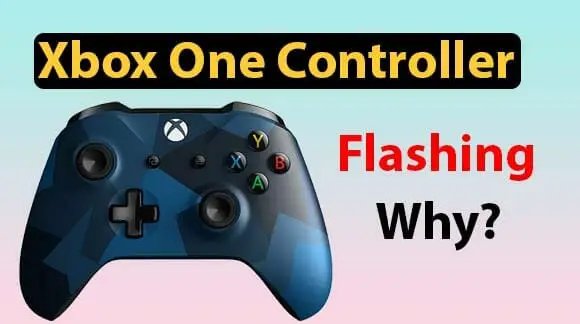
Your Xbox One controller's flashing like a madman and won't connect? Don't chuck it at the wall just yet. I've seen this plenty, and usually, it's a simple fix. Let's get you back in the game.
Right, let's get straight into it, shall we? You've settled down for a good session on the Xbox, controller in hand, and then... nothing. Just a blinking light, stubbornly refusing to connect. Happens to the best of us, and it's more than just a minor annoyance; it's a proper mood killer when all you want to do is blast some aliens or score a few goals. I've seen this particular glitch more times than I care to count, not just with my lads' consoles but with a few mates who bring their kit 'round to the workshop, thinking I'm some sort of tech wizard. (Spoiler: I just know a few tricks and own a decent multimeter). It’s usually not the end of the world, or your controller for that matter. Let's get to sorting it. **Quick Verdict: Most Xbox One controller flashing is easily fixed with a bit of patience and common sense.** ### Who it's for: * Anyone with an Xbox One controller acting up. * Those who value their gaming time and want quick, effective solutions. * Folks who prefer fixing things themselves rather than buying new. * Parents trying to keep the peace when the kids' controllers pack in. ### Who should skip it: * People with a brand-new, still-under-warranty controller (just get it replaced, honestly). * Those who prefer throwing money at a problem rather than troubleshooting. * Anyone who's accidentally driven over their controller with the lawnmower – some things are beyond repair, even for me. ***  *Why is My Xbox One Controller Flashing and not Connecting- Quick Fixes — tested in the SpeakersMag workshop.* ## Why Your Xbox One Controller Is Flashing Like a Disco Ball So, your controller's doing the light show, but not in a good way. What's the crack? Well, nine times out of ten, it boils down to a communication breakdown. It's trying to chat with your Xbox, but something's getting in the way or it's just not pairing up properly. Could be a simple glitch, flat batteries, or something a bit more fiddly. ### The Usual Suspects Let's break down the common culprits. Knowing *why* it's flashing helps you narrow down the fix. No point in trying to re-pair it if the batteries are dead, is there? * **Dead or dying batteries:** The most common one, hands down. The controller tries to connect, but there's not enough juice to sustain the connection. * **Out of range:** You've wandered off to the fridge for a cuppa, haven't you? Or there's too much junk between you and the console. * **Interference:** Other wireless bits and bobs in your home can sometimes butt in. Wi-Fi routers, microwaves, even some cordless phones. * **Pairing issues:** Sometimes the console and controller just forget each other. Happens. Or it's trying to connect to a different Xbox in the house, if you've got more than one. * **Outdated firmware:** The software inside your controller needs updating now and then. If it's really old, it can cause all sorts of bother. * **Console problem:** Less common, but sometimes the Xbox itself is the one playing up, not the controller. * **Controller fault:** The dreaded hardware failure. It does happen, but usually, it's the last thing I check. ## Quick Fixes: My Go-To Troubleshooting Steps Alright, let's get your controller talking to your Xbox again. Start from the top and work your way down. Don't skip steps, you'll only confuse yourself. ### 1. Check the Batteries – Seriously, Do It! I know, I know, it sounds obvious. But honestly, how many times have you been faffing about for ages only to realise the Duracells are flat? Grab some fresh AAs, or if you've got a rechargeable pack, make sure it's fully charged. Pop them in, making sure they're the right way 'round. If it still flashes, move on. * **Top Tip:** If you're using rechargeable battery packs, sometimes they just give up the ghost after a few years. If your pack isn't holding a charge for long, that's likely the problem. Treat yourself to a new one. ### 2. Power Cycle Your Xbox Turning it off and on again. The IT crowd's favourite solution, and for good reason. It clears out any temporary glitches in the system. Don't just hit the standby button; a full power cycle is what we're after. * Hold the Xbox button on the front of the console for about 10 seconds until it completely shuts down. * Unplug the power brick from the back of the console and from the wall. Go on, walk over and yank it out. * Wait 30 seconds. Go put the kettle on, stretch your legs. * Plug everything back in, then power on your Xbox. * Try connecting your controller again. If it's still flashing, keep going. ### 3. Re-Pair the Controller This is the bread and butter of connection issues. Your controller and console need to introduce themselves again. It's pretty straightforward. * Turn on your Xbox. Give it a minute to boot up properly. * Press and hold the small **Pairing button** on the top of your controller (it's usually near the left bumper). The Xbox button on the controller will start flashing rapidly. * Now, quickly press the **Pairing button** on your Xbox console. On an Xbox One S or X, it's on the front, below the power button. On the original Xbox One, it's on the left side, around the corner from the disc drive. * The Xbox button on your controller should then go solid, meaning it's connected. If it keeps flashing slowly, it hasn't paired. Try again, making sure both buttons are pressed within about 20 seconds of each other. ### 4. Try a Wired Connection If wireless is being a faff, let's take it out of the equation. Grab a good quality micro-USB cable (or USB-C for Series X|S controllers, but we're talking Xbox One here, so micro-USB is your chap). Connect your controller directly to the Xbox. * Plug one end into the controller and the other into a USB port on your Xbox. * If the controller lights up solid and works, then you know the controller itself is fine, and the problem is purely wireless. This is good news – usually means a software or interference issue rather than a hardware fault in the controller. ### 5. Update Controller Firmware Outdated firmware can cause all sorts of bizarre behaviour. It's always worth checking. * Connect your controller to the Xbox using a micro-USB cable. * On your Xbox, go to **Settings** > **Devices & connections** > **Accessories**. * Select your controller, then choose **Device info** > **Firmware version**. * If an update is available, follow the prompts to install it. This can take a few minutes, so don't unplug it mid-update. * Once updated, unplug the cable and try to pair it wirelessly again. ### 6. Clear Wireless Interference As I mentioned, other wireless bits can cause headaches. If you've got a busy house with lots of gadgets, this could be your issue. * **Move closer:** Simple one. Sit closer to your Xbox. If it connects then, you know range is an issue. * **Turn off other devices:** Temporarily switch off other wireless gear nearby – Wi-Fi routers, cordless phones, Bluetooth speakers. See if that makes a difference. If it does, you've found your culprit. You might need to adjust their placement or channels. * **Check for physical obstructions:** Thick walls, metal objects, even large bits of furniture can block wireless signals. Not much you can do about a load-bearing wall, but shifting your console a bit might help. ### 7. Test with Another Controller or Console If you've got another Xbox One controller knocking about, try pairing that one. If it connects fine, your original controller might be the problem. Conversely, if *no* controllers are connecting, the issue could be with your Xbox's wireless module. * **Another Controller:** If a second controller connects perfectly, your troublesome controller probably has a fault with its wireless capabilities. Might be time for a new one, or a professional repair if you're sentimental about it. * **Another Console:** If you can, take your flashing controller to a mate's house and try pairing it with their Xbox One. If it works there, then your Xbox is definitely the problem. If it still flashes, then the controller is indeed the one playing up. ## When All Else Fails: Time for the Workshop (or a New One) Look, sometimes you've just got to admit defeat. If you've tried everything above and your Xbox One controller is still doing the flashing routine, it's likely a hardware fault. At this point, you've got a few options. ### Option 1: DIY Repair (for the brave) If you're handy with a screwdriver and don't mind delving into electronics, you *might* be able to fix it. Common internal faults include damaged ribbon cables or a faulty wireless module. There are plenty of teardown videos online. Be warned though, these controllers aren't designed to be easily opened, and you risk making things worse. I've seen more broken clips and stripped screws than I'd like to admit from folks trying this at home. * **Pros:** Cheapest option if successful, sense of accomplishment. * **Cons:** Requires specialist tools, voiding warranty, high risk of further damage, fiddly small parts. ### Option 2: Professional Repair Some independent electronics repair shops might take a look, especially if they specialise in game console repairs. Give them a call, explain the issue, and see what they quote. Sometimes it's worth it if it's a fancy special edition controller, but for a standard one, the cost can quickly approach that of a new unit. * **Pros:** Less risk for you, potentially saving a favourite controller. * **Cons:** Can be pricey, might take time, no guarantee of success. ### Option 3: Buy a New Controller (The Path of Least Resistance) Honestly, for most people, this is the most sensible route if your controller is out of warranty and troubleshooting hasn't worked. Standard Xbox One controllers aren't ridiculously expensive, especially if you snag one on sale. You'll be back in the game quickly with a reliable unit. * **Pros:** Quickest solution, new warranty, guaranteed to work. * **Cons:** Costs money, obviously. ## Comparison: Standard vs. Elite vs. Third-Party Since we're talking about potentially replacing a controller, it's worth a quick look at your options. I'm not going to deep-dive into each one, but just a quick rundown from my experience. | Feature | Xbox One Standard Controller | Xbox Elite Wireless Controller Series 1 (or 2) | Third-Party Controllers (e.g., PowerA, Razer) | | :------------------ | :---------------------------------------------------------- | :------------------------------------------------------------------ | :---------------------------------------------------------- | | **Price (approx.)** | £40-£55 (new) | £100-£150 (depending on Series 1 or 2, and sales) | £20-£70 (huge range) | | **Build Quality** | Solid, reliable plastic. Gets the job done. | Premium materials, metal components, weighty feel. Built to last. | Varies wildly. Some decent, some flimsy. Research required. | | **Features** | Standard rumble, headset jack, Bluetooth (newer models). | Swappable thumbsticks/paddles, hair-trigger locks, custom profiles. | Varies. Some replicate Elite features, some are basic. | | **Battery** | AA batteries or optional rechargeable pack. | Built-in rechargeable battery (Elite 2 is excellent). | Varies (some wired only, some AA, some rechargeable). | | **Longevity** | Years of use with care. | Excellent, but Series 1 had stick drift issues for some. Elite 2 is better. | Hit or miss. Some last, some die quickly. | | **Who it's for** | Most gamers, casual to serious. Everyday use. | Competitive players, those who want customisation and premium feel. | Budget-conscious, or those needing specific niche features. | | **My Take** | Can't go wrong. A workhorse. | Love the feel, but the price tag is chunky. Worth it if you're serious. | Buyer beware! Read reviews. Some are good value, others are rubbish. | ## FAQs: Your Burning Questions Answered ### Q: My controller works fine when plugged in but flashes wirelessly. What gives? This is a classic sign that the wireless module in your controller or the console itself is having a spat, or there's a boatload of interference. If you've already power-cycled and re-paired, it leans towards interference or a hardware fault with the wireless chip in the controller. Try updating firmware and clearing interference zones. If not, it's likely a wireless chip issue in the controller. ### Q: Can I use my flashing Xbox One controller on a PC? If it's flashing on your Xbox, it'll likely flash on your PC too when trying to connect wirelessly. The issue is usually with the controller's ability to establish a wireless connection, not what it's trying to connect *to*. Try a wired connection to your PC with a micro-USB cable. If it works wired, then you've got your answer – it's the wireless. If not, the controller itself might be knackered. ### Q: My Xbox button lights up but my controller doesn't do anything else. Is it dead? Not necessarily dead, but definitely not happy. The light means it's getting power, but it's not communicating. Recheck your batteries (even if the light is on, they might be too low to transmit data), try a full power cycle of the Xbox, and absolutely attempt a re-pairing. If it still just glows and does nothing, then it's leaning towards an internal hardware fault that's preventing full functionality. ### Q: How often should I update my controller's firmware? Not something you need to do every week, but it's good practice to check for updates every few months, especially if you notice any odd behaviour. Microsoft releases updates to fix bugs, improve connectivity, and sometimes add new features. It only takes a minute when plugged in, so there's no real excuse not to keep it current. ### Q: Can a flashing controller still cause stick drift or button issues? Absolutely. A flashing light generally means a connection problem. Stick drift or unresponsive buttons are separate physical or internal component issues. You can have both. So if your controller *does* connect eventually but then you find the character walking off on their own, you've got a combination of problems. One doesn't rule out the other, unfortunately. ## Final Word Right, that's a fair bit to chew on, isn't it? An Xbox One controller flashing and refusing to connect is a right pain, but as you've seen, it's usually something pretty simple. Most of the time, fresh batteries, a quick power cycle, or a re-pair will sort you right out. Don't panic and don't shell out for a new one straight away. I've had plenty of controllers come through my hands over the years, and nine times out of ten, these basic troubleshooting steps do the trick. If you're still stuck after all that, then yeah, you're probably looking at a more serious internal gubbins issue, and that's when you weigh up the cost of a new one against the faff of a repair. Good luck, and get back to your gaming!", seoTitle=